

How to troubleshoot if the Photon Heating Pad doesn't work?
Jul 07, 2025
Leave a message
As a supplier of the Photon Heating Pad, I understand how frustrating it can be when your heating pad doesn't work as expected. In this blog post, I'll guide you through a series of troubleshooting steps to help you get your Photon Heating Pad back in working condition.
Step 1: Check the Power Source
The first and simplest step in troubleshooting is to ensure that the heating pad is properly connected to a power source.
- Inspect the Power Cord: Examine the power cord for any visible signs of damage, such as cuts, frays, or exposed wires. If you notice any damage, do not attempt to use the heating pad. A damaged cord can pose a serious safety hazard, including the risk of electrical shock or fire. In this case, contact our customer support for a replacement cord.
- Verify the Outlet: Plug another device, like a lamp or a phone charger, into the same outlet to confirm that it is functioning correctly. If the other device doesn't work, the problem may be with the outlet itself. You can try using a different outlet or check the circuit breaker to see if it has tripped.
Step 2: Examine the Controller
The controller is the device that allows you to adjust the temperature of the heating pad. A malfunctioning controller can prevent the heating pad from working properly.
- Check the Settings: Make sure the controller is set to the desired temperature and that it is turned on. Sometimes, the controller may accidentally be set to a very low temperature or turned off.
- Look for Error Indicators: Some controllers have error indicators that can provide clues about what's wrong. Refer to the user manual for your Photon Heating Pad to understand what these indicators mean. If an error code is displayed, note it down and contact our support team for assistance.
- Test the Controller on Another Heating Pad (if possible): If you have access to another compatible heating pad, try using the controller with it. If the controller works on the other heating pad, the problem may be with the original heating pad. Conversely, if the controller doesn't work on the other heating pad either, the controller is likely the source of the issue.
Step 3: Inspect the Heating Element
The heating element is responsible for generating heat in the heating pad. If it is damaged, the heating pad will not work.
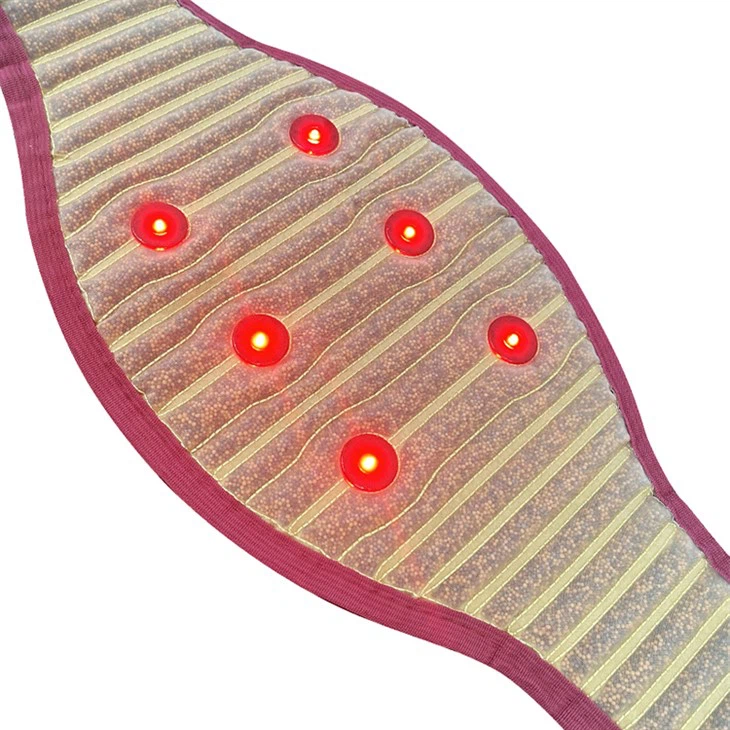

- Feel for Warmth: Turn on the heating pad and wait for a few minutes. Then, carefully feel different parts of the pad to see if it is getting warm. If only certain areas are warm or if the entire pad remains cold, there may be a problem with the heating element.
- Look for Physical Damage: Check the heating pad for any visible signs of damage, such as burns, holes, or bulges. These can indicate that the heating element has been damaged. If you find any damage, do not use the heating pad and contact our customer support for a replacement.
Step 4: Check for Kinks or Twists
Kinks or twists in the heating pad can disrupt the flow of electricity to the heating element, causing it to malfunction.
- Straighten the Pad: Unroll the heating pad and make sure it is lying flat without any kinks or twists. Pay special attention to the areas around the power cord and the controller.
- Avoid Folding or Bunching: Do not fold or bunch the heating pad while it is in use, as this can also damage the heating element. If you need to store the heating pad, roll it up gently instead of folding it.
Step 5: Consider the Environment
The environment in which the heating pad is used can also affect its performance.
- Temperature and Humidity: Extreme temperatures or high humidity can cause the heating pad to malfunction. Make sure the heating pad is used in a room with a moderate temperature and humidity level. Avoid using the heating pad in a damp or wet area, as this can increase the risk of electrical shock.
- Obstructions: Ensure that the heating pad is not covered by blankets, pillows, or other objects while it is in use. These obstructions can prevent heat from escaping and cause the heating pad to overheat or malfunction.
Step 6: Contact Customer Support
If you have followed all the above steps and your Photon Heating Pad still doesn't work, it's time to contact our customer support team. Our experienced technicians will be able to assist you further and provide you with a solution.
When contacting customer support, be sure to provide them with as much information as possible, including:
- The model and serial number of your heating pad
- A detailed description of the problem
- The steps you have already taken to troubleshoot the issue
Other Related Products
In addition to the Photon Heating Pad, we also offer the Photon Energy Belt. This product provides targeted heat therapy for the back, abdomen, or other areas of the body. If you are interested in exploring other products in our range, feel free to visit our website.
Conclusion
Troubleshooting a non - working Photon Heating Pad can be a straightforward process if you follow these steps. By checking the power source, the controller, the heating element, and the environment, you can often identify and resolve the problem on your own. However, if you need further assistance, our customer support team is always here to help.
If you are interested in purchasing our Photon Heating Pad or Photon Energy Belt for your business or personal use, we welcome you to contact us for procurement discussions. We offer high - quality products at competitive prices and are committed to providing excellent customer service.
References
- User manual for Photon Heating Pad
- Technical specifications of Photon Heating Pad and Photon Energy Belt