

How do I connect an eye massager to my phone?
Apr 01, 2026
Leave a message
Connecting an eye massager to your phone can significantly enhance your user experience, offering more personalized settings and a seamless interaction with the device. As a supplier of high - quality eye massagers, I'm here to guide you through the process.
Why Connect Your Eye Massager to Your Phone?
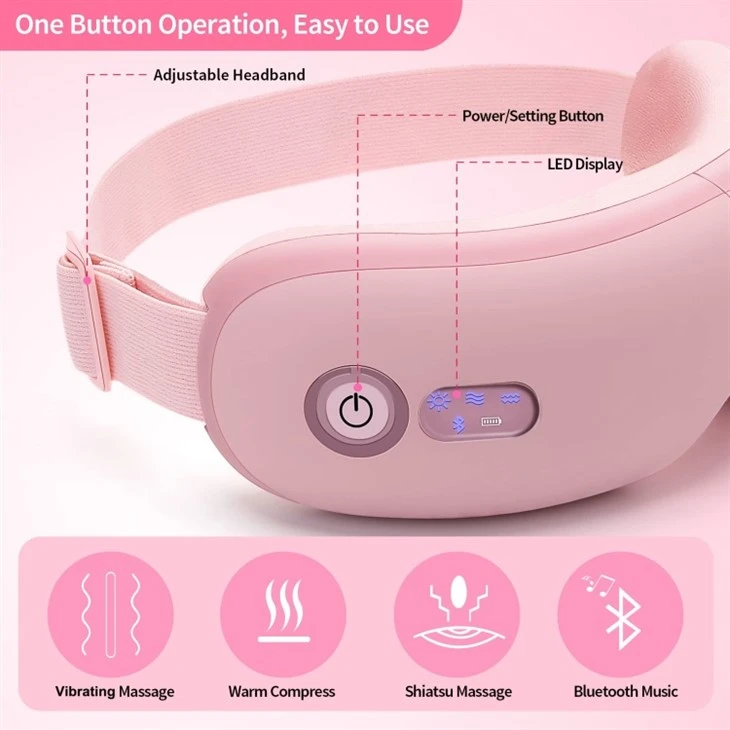
Before we dive into the connection process, let's understand why you might want to connect your eye massager to your phone. Modern eye massagers, such as the Nebulization Eye Massager and Smart Heated Eye Massager, are equipped with advanced features that can be further customized via a mobile app. By connecting your eye massager to your phone, you can adjust massage intensity, select different massage modes, set timers, and even track your usage history. This level of customization allows you to tailor the massage experience to your specific needs, whether you're looking for a gentle relaxation session or a more intense deep - tissue massage.
Prerequisites for Connection
To connect your eye massager to your phone, you'll need a few things:
- A compatible eye massager: Our eye massagers, including the Nebulization Eye Massager and Smart Heated Eye Massager, are designed to be easily connected to mobile devices. They come with built - in Bluetooth technology, which enables wireless connection to your phone.
- A smartphone: You'll need a smartphone running on a compatible operating system. Most of our eye massagers are compatible with both iOS and Android devices. Make sure your phone's Bluetooth function is enabled.
- The corresponding mobile app: Download the official app for your eye massager from the App Store (for iOS devices) or the Google Play Store (for Android devices). The app is specifically designed to communicate with your eye massager and provide you with full control over its features.
Step - by - Step Guide to Connecting Your Eye Massager to Your Phone
Step 1: Charge Your Eye Massager
Before attempting to connect your eye massager to your phone, ensure that it is fully charged. A low battery can cause connection issues and may prevent the device from functioning properly. Connect the eye massager to a power source using the provided charging cable and wait until the battery is fully charged.
Step 2: Enable Bluetooth on Your Phone
On your smartphone, go to the settings menu and find the Bluetooth option. Toggle the switch to turn on Bluetooth. Your phone will then start searching for nearby Bluetooth devices.
Step 3: Power On Your Eye Massager
Press and hold the power button on your eye massager until the indicator light turns on. This indicates that the device is powered on and ready to connect. In some models, the eye massager will automatically enter pairing mode when powered on.
Step 4: Pair Your Eye Massager with Your Phone
On your phone, look for the name of your eye massager in the list of available Bluetooth devices. The name of the device is usually printed on the packaging or in the user manual. Select the eye massager from the list, and your phone will attempt to pair with it. You may be prompted to enter a passcode. In most cases, the passcode is 0000 or 1234. If you encounter any issues during the pairing process, refer to the user manual or contact our customer support team for assistance.
Step 5: Open the Mobile App
Once your eye massager is successfully paired with your phone, open the corresponding mobile app. The app will automatically detect the connected eye massager and display its status on the screen. You can now start exploring the various features and settings available in the app.
Troubleshooting Connection Issues
Sometimes, you may encounter problems when trying to connect your eye massager to your phone. Here are some common issues and their solutions:
- Device not found: If your phone cannot find the eye massager, make sure that the eye massager is powered on and in pairing mode. You can also try restarting both your phone and the eye massager and then attempt the pairing process again.
- Pairing failed: If the pairing process fails, check if the passcode you entered is correct. Some devices may require a different passcode, so refer to the user manual for the correct information. You can also try unpairing any previously connected devices from your phone's Bluetooth settings and then attempt to pair the eye massager again.
- App not working: If the mobile app is not working properly, make sure that you have the latest version of the app installed. You can check for updates in the App Store or Google Play Store. If the problem persists, try uninstalling and reinstalling the app.
Benefits of Using Our Eye Massagers
Our eye massagers, such as the Nebulization Eye Massager and Smart Heated Eye Massager, offer a range of benefits:
- Relieve eye fatigue: The gentle massage and heat therapy provided by our eye massagers can effectively relieve eye fatigue caused by long - term use of electronic devices, reading, or driving.
- Improve blood circulation: The massage function stimulates blood circulation in the eye area, which can help reduce dark circles and puffiness under the eyes.
- Customizable settings: With the mobile app, you can customize the massage intensity, mode, and duration according to your personal preferences.
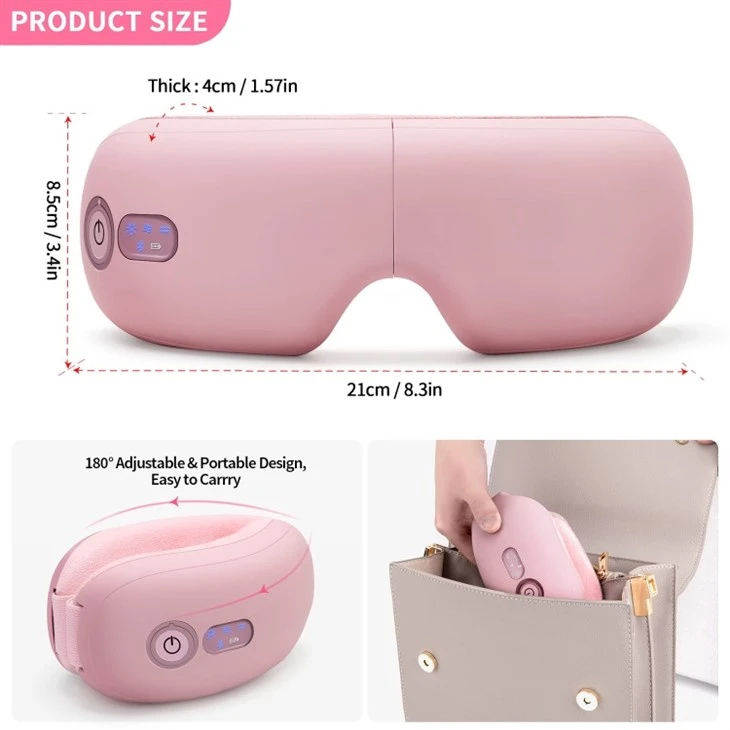
- Portable and convenient: Our eye massagers are lightweight and portable, allowing you to use them anywhere, whether at home, in the office, or while traveling.
Conclusion
Connecting your eye massager to your phone is a simple and rewarding process that can enhance your overall user experience. By following the steps outlined in this guide, you can easily pair your eye massager with your phone and take advantage of the advanced features offered by the mobile app.
If you're interested in purchasing our high - quality eye massagers, we welcome you to contact us for procurement and further discussion. We're committed to providing the best products and services to our customers.
References
- User manuals of Nebulization Eye Massager and Smart Heated Eye Massager.
- Technical documentation on Bluetooth connectivity for mobile devices.